
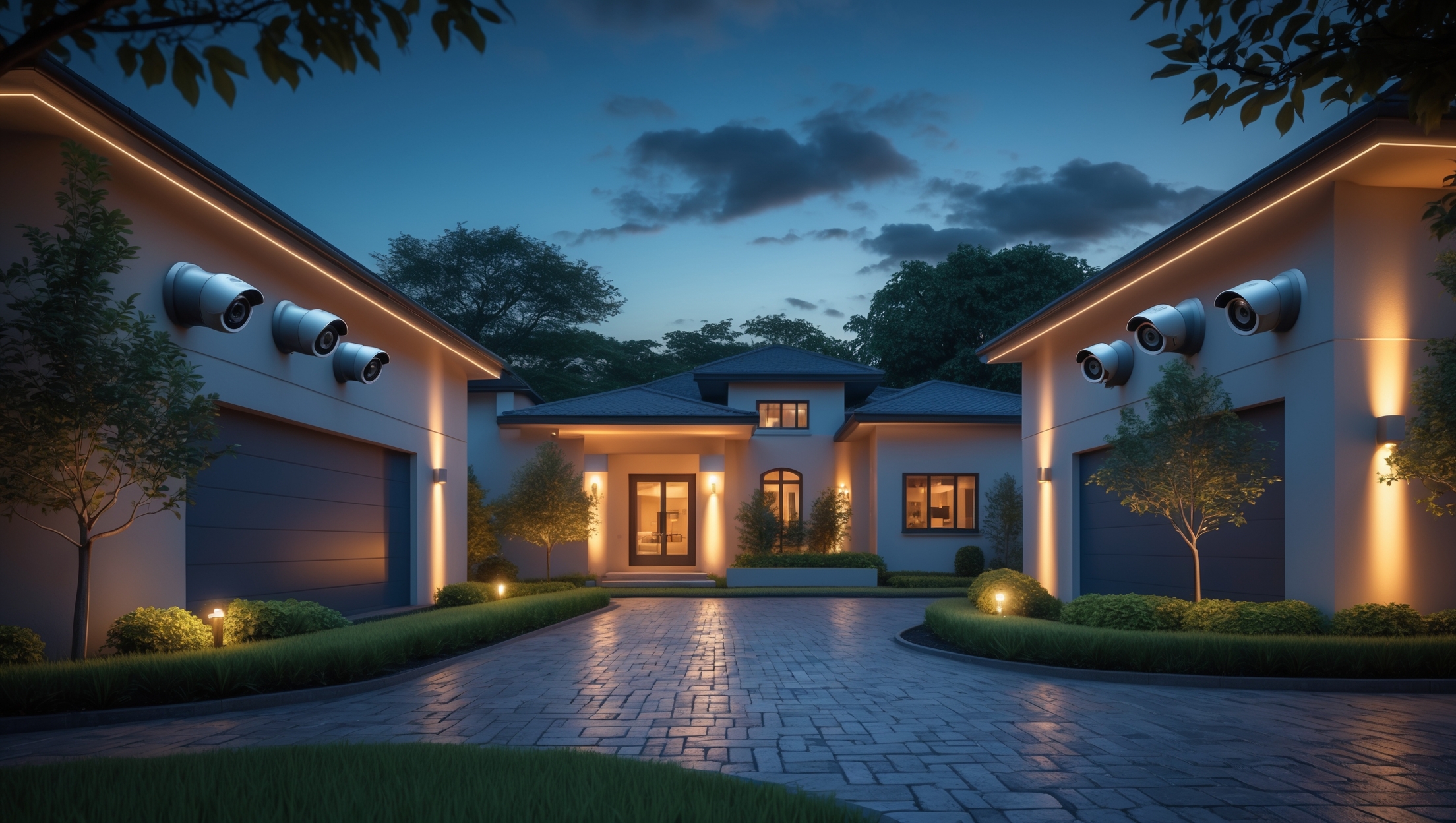
Home Security Camera Systems: Cost Breakdown, Setup Mistakes, and Maintenance Tips

Introduction: Why Home Security Camera Systems Matter
Home security is no longer a luxury—it’s a necessity. With property crime rates fluctuating and the evolving sophistication of modern burglars, homeowners across the country are turning to security camera systems as the backbone of their home protection strategies. But the journey from deciding you want cameras to actually having a reliable, effective system is riddled with pitfalls. Many homeowners jump in without fully understanding the true costs, overlook critical planning steps, or make mistakes during installation that compromise both performance and privacy. Additionally, ongoing maintenance is often ignored, leading to system failures just when you need your cameras most. In this detailed guide, you’ll gain expert insight into the real-world costs of installing and maintaining home security cameras, learn about beginner setup mistakes that can undermine your investment, and discover best practices to keep your system running optimally year after year. Whether you’re considering a simple DIY kit or a complex, professionally installed network, this article will equip you with the practical knowledge to make informed choices and avoid common headaches.
Cost Breakdown: What You Really Pay for Home Security Cameras
1. Equipment Costs
- Camera Units: Basic indoor cameras start at $25–$50 each, while high-end outdoor or PTZ (pan/tilt/zoom) cameras can exceed $300 per unit. Specialized features—like color night vision, integrated floodlights, or 4K resolution—add to costs.
- Recording Devices: Network Video Recorders (NVRs) or Digital Video Recorders (DVRs) cost $100–$500+, depending on channel count and storage capacity. Wireless systems may use cloud storage, which often involves monthly fees.
- Supporting Hardware: Cables, power adapters, PoE injectors, mounting brackets, and surge protectors typically add $50–$200 for a four-camera setup.
- Optional Accessories: Weatherproof enclosures, anti-vandal housings, and extra batteries for wireless models are often necessary for exposed installations. Budget an extra $20–$100 per camera for these.
2. Installation Costs
- DIY Setup: If you’re handy, many modern systems are designed for self-installation. However, tools (like drills, ladders, and cable testers) may add $50–$150 if you don’t already own them.
- Professional Installation: Hiring a pro typically costs $80–$200 per camera, depending on system complexity, camera location (e.g., second-story or roof mounting), and local labor rates. Expect higher charges if wall fishing or attic work is required.
3. Ongoing Expenses
- Cloud Storage Fees: Many camera brands charge $3–$10 per camera per month for cloud storage and advanced features. Some offer bundled plans for multiple cameras.
- Maintenance and Repairs: Annual cleaning, firmware updates, and occasional part replacements (such as power adapters or failed hard drives) can total $30–$100 per year.
- Insurance Premiums: Some insurers offer small discounts for professionally monitored systems, but self-monitored cameras typically don’t affect premiums.
4. Example Cost Scenarios
- Basic DIY Starter Kit (4 indoor cameras, cloud storage): $200 equipment + $120/year storage = $320 first year, $120/year ongoing
- Comprehensive Professional System (8 cameras, NVR, pro install): $1,600 equipment + $1,200 install + $80/year maintenance = $2,880 first year, $80/year ongoing
- Hybrid (mix of indoor/outdoor, DIY with pro help for difficult areas): $800 equipment + $400 install (partial pro help) = $1,200 first year
Careful budgeting prevents unpleasant surprises and ensures you get the features you need without overspending.
Beginner Mistakes to Avoid When Setting Up Security Cameras
1. Poor Camera Placement
- Ignoring Key Entry Points: Failing to monitor doors, first-floor windows, or garage entrances leaves major vulnerabilities.
- Mounting Too High or Low: Cameras placed too high miss facial details; too low, and they’re easily tampered with.
- Overlapping Blind Spots: Not checking for obstructions (trees, eaves, vehicles) can create unmonitored zones.
2. Skipping Network and Power Planning
- Wi-Fi Dead Zones: Wireless cameras need a strong signal. Place cameras within range, or invest in mesh networking or extenders.
- Overloading Home Wi-Fi: Multiple high-res cameras can saturate bandwidth, leading to dropped feeds or lag. Consider wired Ethernet or Power over Ethernet (PoE) for reliability.
- Improper Power Supply: Outdoor cameras may need weatherproof outlets or hardwired connections. Avoid daisy-chaining too many devices onto a single circuit.
3. Not Securing the System
- Default Passwords: Leaving factory credentials is an open invitation to hackers. Change all passwords and enable two-factor authentication where available.
- Outdated Firmware: Skipping updates leaves your system vulnerable to exploits. Set reminders to check for updates quarterly.
4. Overreliance on Cloud
- No Local Backup: If your internet is down, you may lose recordings. Consider hybrid systems with both cloud and local (SD card or NVR) storage.
- Ignoring Privacy Concerns: Know exactly where footage is stored and who can access it. Consult your camera provider’s privacy policy.
5. Failing to Test the System
- Not Checking Angles and Coverage: Always test live views before final mounting. Adjust for lighting, glare, and nighttime conditions.
- Skipping Motion Detection Calibration: Uncalibrated systems trigger constant false alarms (pets, tree branches, cars). Fine-tune detection zones and sensitivity.
Step-by-Step Setup Best Practices
1. Plan Your System Layout
- Print or sketch a map of your home’s exterior and interior vulnerable areas.
- Mark primary entry points, driveways, and high-value areas (safes, garages, backyards).
- Decide on camera types (dome, bullet, PTZ) for each location based on required field of view and environment.
2. Prep Your Network
- Assess Wi-Fi coverage or Ethernet access at each proposed camera spot.
- Upgrade your router if necessary, or set up dedicated VLANs for security devices for extra protection.
- For PoE setups, install switches near where camera cables will terminate.
3. Install Cameras and Hardware
- Use weatherproof boxes and conduit for outdoor wiring to protect against moisture and pests.
- Mount cameras at 8–10 feet for optimal balance between range and detail.
- Anchor mounting brackets securely into studs or masonry; use appropriate fasteners for the surface.
- Orient cameras away from direct sun and reflective surfaces to avoid glare. Test night vision before finalizing placement.
4. Configure Software and Storage
- Rename cameras logically (“Front Door,” “Garage,” etc.) for easy identification.
- Set up user permissions—limit admin access and create unique logins for family members.
- Configure motion detection zones and alert preferences to minimize unnecessary notifications.
- Test backup options: verify that cloud and local storage are functioning and accessible.
5. Secure and Harden the System
- Change all default passwords immediately, using a password manager to store credentials.
- Enable encryption for video streams if available.
- Set cameras to auto-update firmware, or check for updates monthly.
Maintenance Best Practices for Longevity and Reliability
1. Regular Physical Inspection
- Monthly: Visually check for cobwebs, dust, water spots, or debris on lenses. Gently clean with a microfiber cloth and lens-safe cleaner.
- Seasonally: Inspect mounts for corrosion or loosening. Tighten hardware as needed, and check cable seals for weather damage.
2. Software and Storage Maintenance
- Quarterly: Update firmware and application software. Review and archive old footage to free up storage space.
- Annually: Test all backup power sources (UPS, batteries). Replace hard drives in NVRs every 3–5 years or as recommended by the manufacturer.
3. Functional Testing
- Test live feeds from all cameras monthly—both locally and remotely.
- Trigger motion detection intentionally to verify alerts and recording functions.
- Periodically check cloud access and review privacy settings to ensure your data remains secure.
4. Environmental Adjustments
- Trim vegetation seasonally to prevent new obstructions.
- Adjust camera angles if new structures, decorations, or vehicles may block the view.
- Switch to cold-weather rated cameras or housings in extreme climates to prevent malfunctions.
Compliance and Legal Considerations
1. Privacy Laws and Consent
- It’s illegal in many states to record audio without consent. Disable audio or post clear signage if required by local law.
- Never aim cameras at areas where neighbors have a reasonable expectation of privacy (e.g., into their windows or backyards).
2. HOA and Local Ordinances
- Some Homeowners Associations restrict external modifications. Obtain written approval before mounting visible cameras.
- Local ordinances may dictate how and where you can place cameras—always check with your city or county before drilling holes.
3. Data Security Compliance
- If you employ remote monitoring companies, ensure they are compliant with applicable data protection and privacy regulations.
- Choose camera brands with transparent privacy policies and strong encryption protocols.
Insurance and Risk Reduction Insights
1. Document Your Installation
- Photograph and inventory your equipment for insurance records. Store serial numbers and receipts offsite or in the cloud.
- Some insurers require proof of professional installation for discounts—check before you buy.
2. Understand What Security Cameras Do (and Don’t) Cover
- Security cameras deter but don’t eliminate risk. Insurers may still require you to have locks, deadbolts, and other basic protections.
- Camera footage can help with claims, but only if it is clear, timestamped, and securely retained. Poorly maintained systems may not provide usable evidence.
Conclusion: Building a Secure, Reliable, and Cost-Effective Camera System
Investing in a home security camera system is one of the most effective ways to protect your property, family, and peace of mind. But success hinges on more than simply buying a kit and screwing cameras to the wall. A well-designed system starts with a realistic budget, an understanding of the full range of costs, and a detailed plan tailored to the unique layout and risks of your home. By avoiding common setup mistakes—such as poor camera placement, network neglect, and lax security settings—you can ensure your cameras deliver the coverage and reliability you expect. Regular maintenance, both physical and digital, is crucial for long-term performance and legal compliance. Remember, an unmaintained or poorly configured system can offer a false sense of security and even create new vulnerabilities. Lastly, always stay informed about local legal requirements and insurance implications to maximize the benefits of your investment. By applying the expert tips and best practices outlined in this guide, you’ll not only avoid costly missteps but also create a resilient, future-proof home security solution. Your vigilance today is your family’s protection tomorrow—let your camera system be a source of true security, not just a technological ornament.
I noticed the article mentions ongoing maintenance being overlooked. What kind of regular maintenance tasks should I be planning for with a basic four-camera system to make sure it doesn’t fail when I actually need it?
With a basic four-camera system, regular maintenance is important to keep everything working reliably. Make sure to clean the camera lenses monthly to avoid blurry footage from dust or debris. Check all cables and connections every few months for signs of wear or looseness. Test each camera’s video feed and recording function periodically to confirm they’re capturing and saving footage correctly. Also, review storage space on your recorder and clear old or unnecessary footage as needed so the system doesn’t stop recording when it’s full.
I noticed you mentioned ongoing maintenance as a key factor for camera reliability. Can you give examples of typical monthly or yearly maintenance costs, and what routine tasks a homeowner should realistically expect to handle themselves versus hiring a technician?
Monthly maintenance costs for home security cameras are usually low, often just a few dollars for cloud storage or software subscriptions. Yearly, you might spend $50–$150 if you hire a technician for a professional checkup or cleaning. Homeowners can typically handle tasks like cleaning camera lenses, checking for loose wires, updating firmware, and testing video feeds. For issues like wiring faults or system upgrades, it’s better to hire a technician to ensure everything remains secure and functional.
If I already have some basic indoor cameras set up, is it possible to upgrade just certain parts of my system, like switching to 4K outdoor cameras, or would compatibility issues make that hard? The article mentions specialized features adding to cost, but doesn’t say much about mixing old and new equipment.
You can usually upgrade certain parts of your home security system, like adding 4K outdoor cameras, without replacing everything. The main thing to check is whether your existing system and new cameras are compatible—look at the app, recording system, and wiring (if any). Sometimes older hubs or NVRs may not support newer camera resolutions or features, so you might need a newer recorder or app update. Mixing brands can also limit advanced functions, so matching systems works best.
For someone on a tight budget who wants both outdoor and indoor coverage, is it more cost-effective in the long run to go with a basic DIY kit and upgrade pieces over time, or to invest upfront in a professionally installed system?
If you’re on a tight budget, starting with a basic DIY camera kit is usually the more cost-effective route. You can cover key areas right away and then add more cameras or upgraded features as your needs and budget allow. Professional systems offer convenience, but the upfront and ongoing costs are typically higher. DIY setups also let you learn and maintain the system yourself, saving on service fees.
You touched on monthly fees for cloud storage in wireless systems. In terms of long-term costs, how do these fees typically compare to the upfront investment for an NVR or DVR, especially for larger homes with several cameras?
Cloud storage fees for wireless systems can add up over time, especially if you have several cameras and require higher storage limits. For larger homes, these monthly fees might surpass the one-time upfront cost of an NVR or DVR system within a couple of years. With NVRs or DVRs, you pay more at the start for hardware, but ongoing costs are minimal unless you expand storage or require advanced features.
With ongoing maintenance often being overlooked, what sort of regular checkups or tasks should homeowners schedule annually or monthly to ensure their camera systems don’t fail when they’re needed most?
To keep your home security cameras reliable, check camera lenses for dirt or obstructions every month and clean them if needed. Test each camera’s video feed and review recordings monthly to ensure they work correctly. Annually, inspect all cabling for wear, update any firmware, and verify that backup power sources (like batteries) are functional. Regularly clearing storage and checking network connections will also help prevent unexpected failures.
You mentioned that wireless camera systems often rely on cloud storage and may have monthly fees. Could you give a ballpark estimate of what those recurring fees typically look like, and are there any reputable brands that offer decent free cloud storage options?
Wireless camera systems with cloud storage usually charge monthly fees ranging from $3 to $15 per camera, depending on the brand and the amount of storage or features you want. Some reputable brands, like Wyze and Blink, offer limited free cloud storage, such as short video clips or snapshots, but full-length recordings or longer retention typically require a paid plan.
You mentioned that ongoing maintenance is often ignored even though it can lead to failures. Can you give some examples of routine maintenance tasks that homeowners should be doing, and how frequently they should be done to keep the camera system reliable?
Homeowners should regularly clean camera lenses every 1–2 months to prevent dust or spider webs from obscuring the view. It’s also important to check camera angles and mounting for any shifts after storms or strong winds. Test your system’s recording and playback features monthly, and make sure firmware is updated whenever updates are available. Finally, inspect cables and power sources every few months to catch any wear or potential disconnections early on.
The article mentions that poor installation can affect both performance and privacy. Do you have examples of common placement mistakes that homeowners make which might actually make cameras easier for burglars to disable or avoid?
Definitely. Common placement mistakes include installing cameras where they are easily reached or tampered with, such as low on walls or within arm’s reach near doors. Pointing cameras directly at bright lights or windows can also reduce image quality. Another mistake is placing cameras only at the front entrance, leaving side or back entrances unmonitored, which can create blind spots that burglars might exploit.